
Email to job
Turn booking emails into jobs.
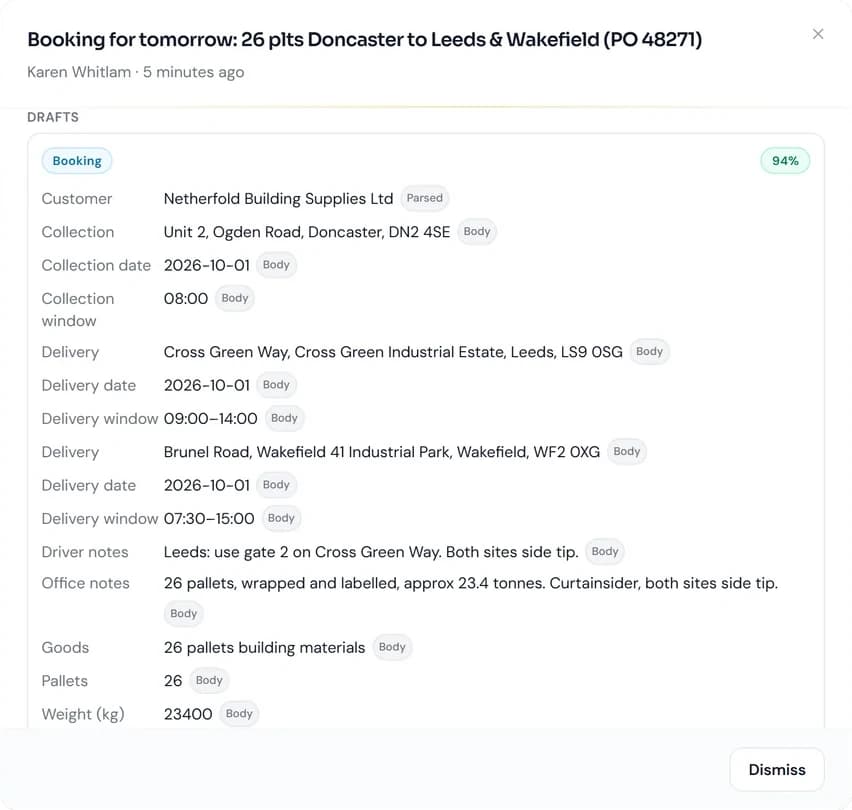
HOSS reads booking emails, including PDFs, spreadsheets and scanned documents, into draft jobs for your planners to check, from a connected mailbox or straight from Outlook.
How it works
From inbox to job
- 1
A booking arrives
In your connected mailbox, or in Outlook with the HOSS add-in.
- 2
HOSS reads it
Customer, stops, times, references and goods are read into a draft, with anything uncertain marked for checking.
- 3
The planner checks it
Review the draft, correct anything marked, then create a job, a quote or an update to an existing job.
- 4
HOSS learns
Corrections made by the office improve how future bookings from the same sender are read.
Where bookings come from
- Mail inbox
- Connect a mailbox by IMAP and bookings are recognised as they arrive. Replies are matched to the jobs they belong to.
- Outlook add-in
- A HOSS pane in Outlook on Windows, Mac and the web, including shared mailboxes. Installed by link or by your Microsoft 365 administrator.
- Paste or upload
- Paste a booking or upload a PDF on the new job form.
- Courier Exchange
- “Allocate This Load” emails are recognised and converted into jobs with the reference, price, pallets and weight.
What HOSS reads
- Attachments
- PDFs, scans, images, spreadsheets and CSV files, as well as the email itself.
- Several loads in one email
- One draft job for each load.
- Your customers and sites
- Matched to your saved customers, contacts and addresses, including the other names a customer trades under.
- References and goods
- Purchase orders and booking references are kept on the job, with goods details in their own fields.
You stay in control
- Nothing is created automatically
- Every draft is reviewed by your team before a job is created.
- Uncertain values are marked
- Fields HOSS is unsure about are flagged for checking.
- AI reading can be switched off
- For the whole organisation, in Settings.
Screens
More of the email screens
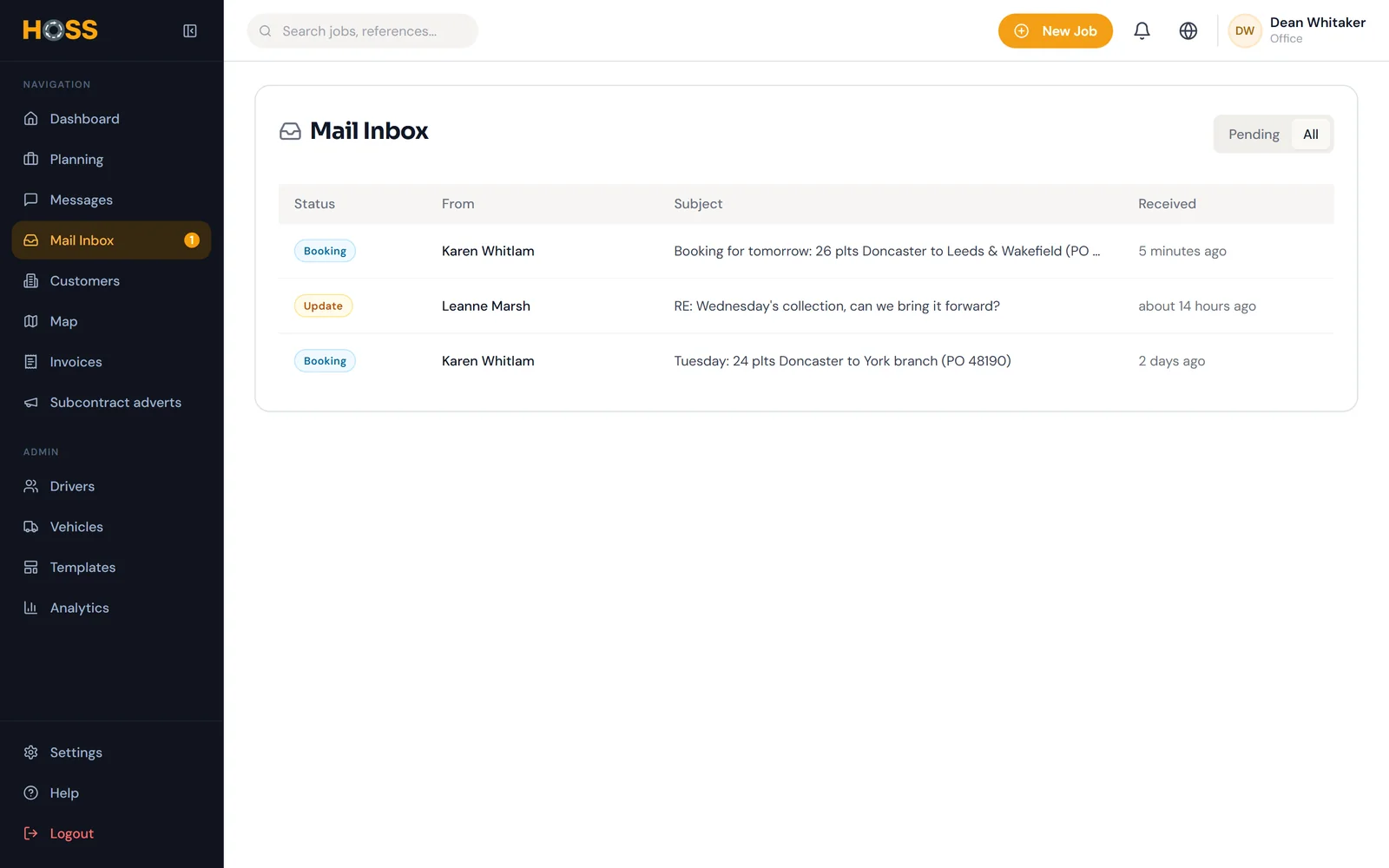
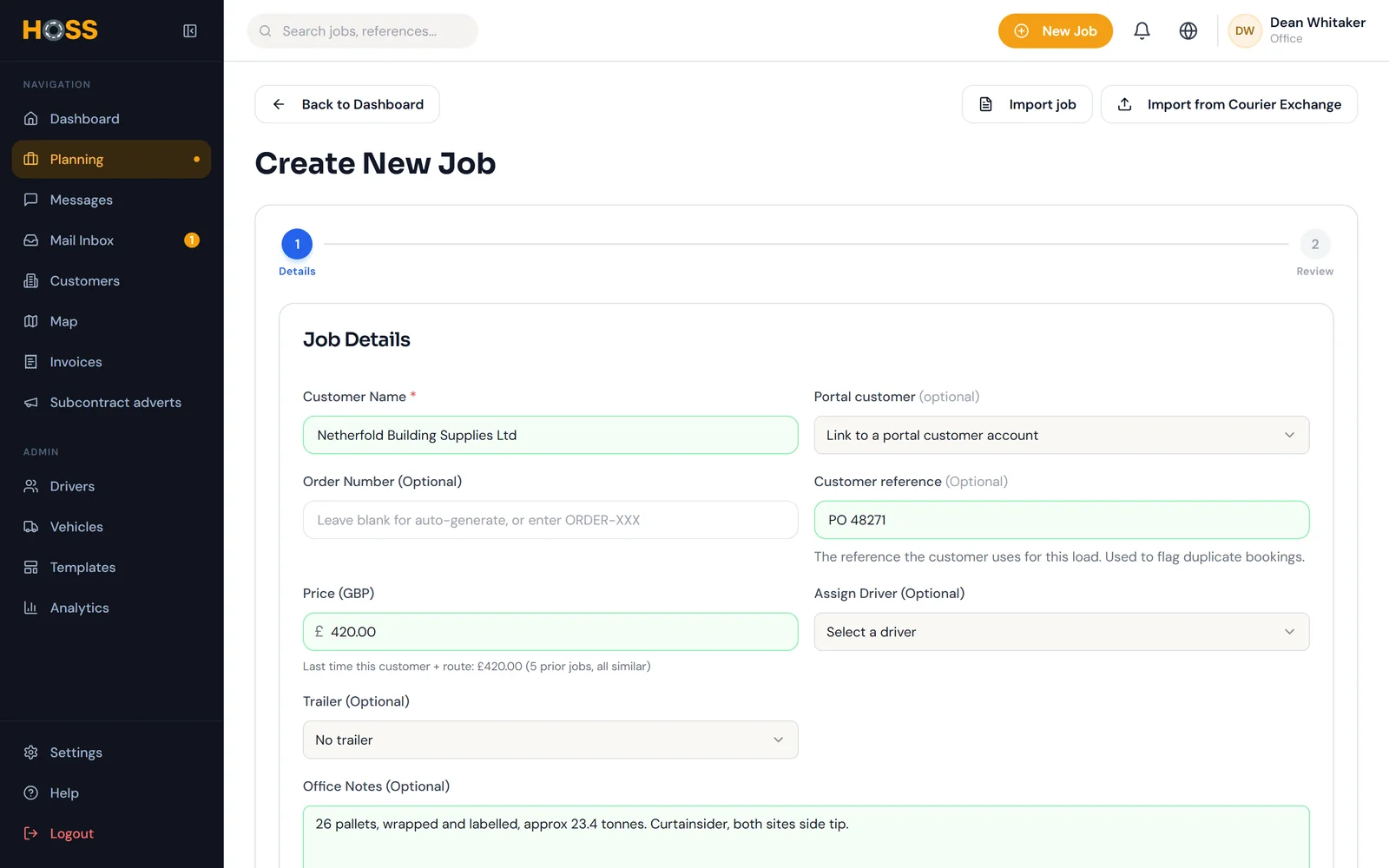
Real HOSS screens, shown with a fictional demo company.
Included as standard. No add-ons or tiers.
Every HOSS account includes email to job, along with the rest of the platform, from £90 a month + VAT.
Questions
Frequently asked questions
Related
Explore more of HOSS
- Planning and jobsEvery job on a single board, with drag-and-drop allocation and the empty mileage between jobs.Planning and jobs in detail
- AI in HOSSAI that reads and checks, while your team makes every decision.AI in HOSS in detail
- Invoicing and XeroDelivered jobs become invoices with the PODs attached, exported to Xero with payments synchronised.Invoicing and Xero in detail
Take control of your haulage operation
See HOSS in your operation.
Request a demonstration or a callback, and we will tailor it to the way you work.
- 1We respond within one working day to arrange a convenient time.
- 2We demonstrate HOSS using jobs that reflect your operation.
- 3If HOSS is right for your business, we set up your account and support you through onboarding.
Prefer to speak to us now? Call 020 3151 2025, answered 24 hours a day.
Request a demo or callback