
Planning and jobs
Plan every job on a single board.
Day, week and two-week views of every driver, with jobs assigned by drag and drop, the empty miles between consecutive jobs and each driver’s revenue against your daily target.
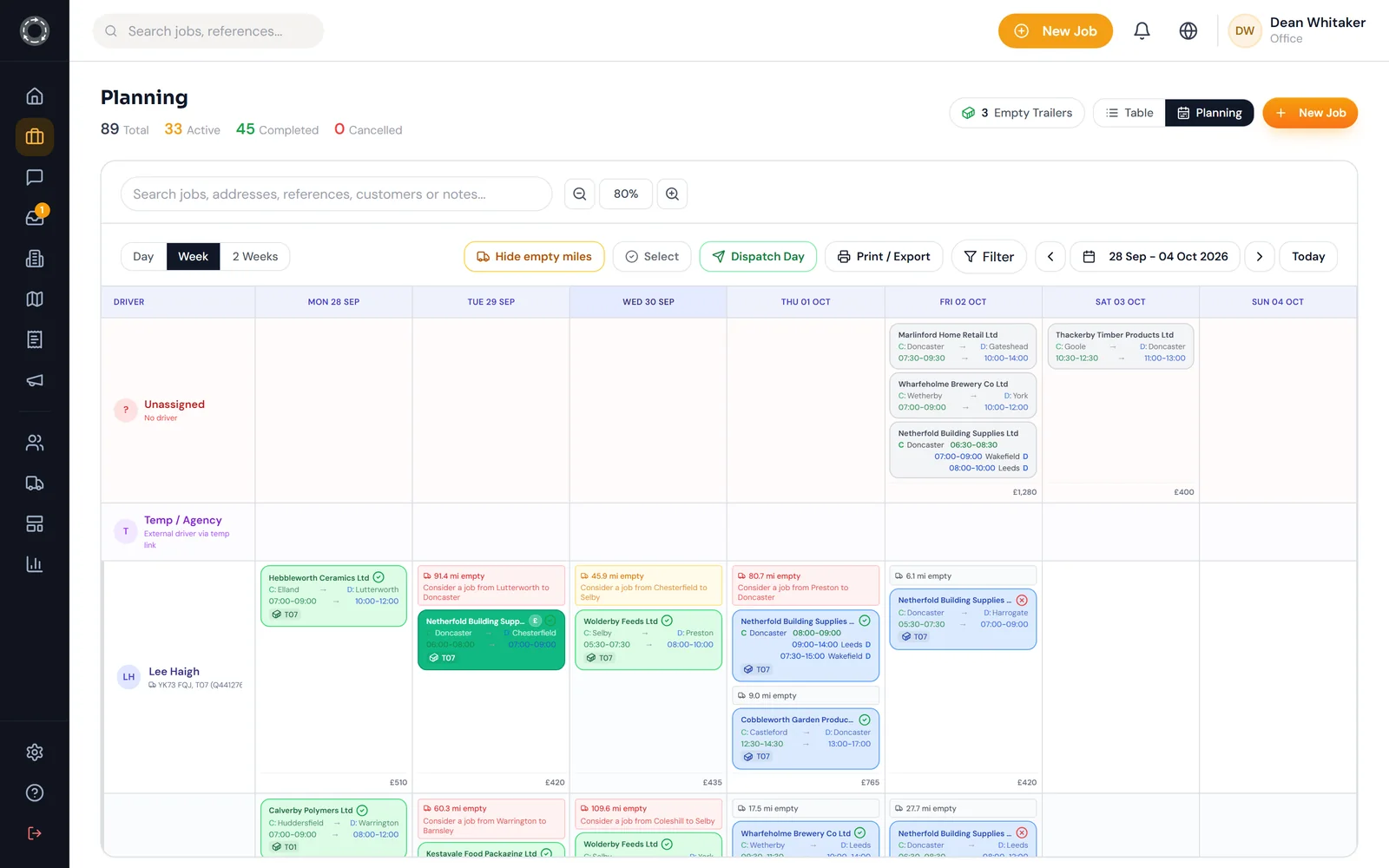
The planning board
- Day, week and two-week views
- View the whole operation at the level of detail you need, with each driver’s vehicle and trailer beside their name.
- Drag-and-drop assignment
- Move jobs between drivers and days, or move a single stop on a job split between drivers.
- Empty miles between jobs
- The distance between the end of one job and the start of the next, calculated from Google distances and shown as you plan.
- Revenue against target
- Each driver’s revenue for the day, the average per driver and progress against the daily target you set.
- Pencilled jobs
- Pencil in enquiries and exchange loads before they are confirmed, then convert them into jobs.
- Send to driver and recall
- Send jobs to a driver individually or a whole day at once, and recall them if plans change.
Jobs built for real haulage
- Multi-stop jobs
- Multiple collections and deliveries on one job, with a different driver for each stop where needed.
- Handover points
- Split a job between drivers at a yard or trailer exchange; the collecting driver is notified when the load is dropped.
- Trailer assignment
- Assign a trailer to a job, with a warning if it is already booked on another open job. The driver sees which trailer to use.
- Required photos
- Set the number of photos a driver must take at any stop before it can be completed.
- Templates and recurring jobs
- Save regular work as templates, set jobs to repeat, and duplicate any job.
- Duplicate warnings
- HOSS warns when a new job looks like one that already exists.
Everyone working from the same plan
- Leave on the board
- Approved holidays appear on the board, with a warning if work is assigned to a driver on leave.
- Vehicle types
- Record the vehicle a job needs, with a warning if it is assigned to a driver with a different vehicle.
- Notes where they are needed
- Planner notes on job cards and notes on a driver’s day.
- Live driver map
- Drivers’ positions on active jobs, shown on the office map.
Screens
More of the planning screens
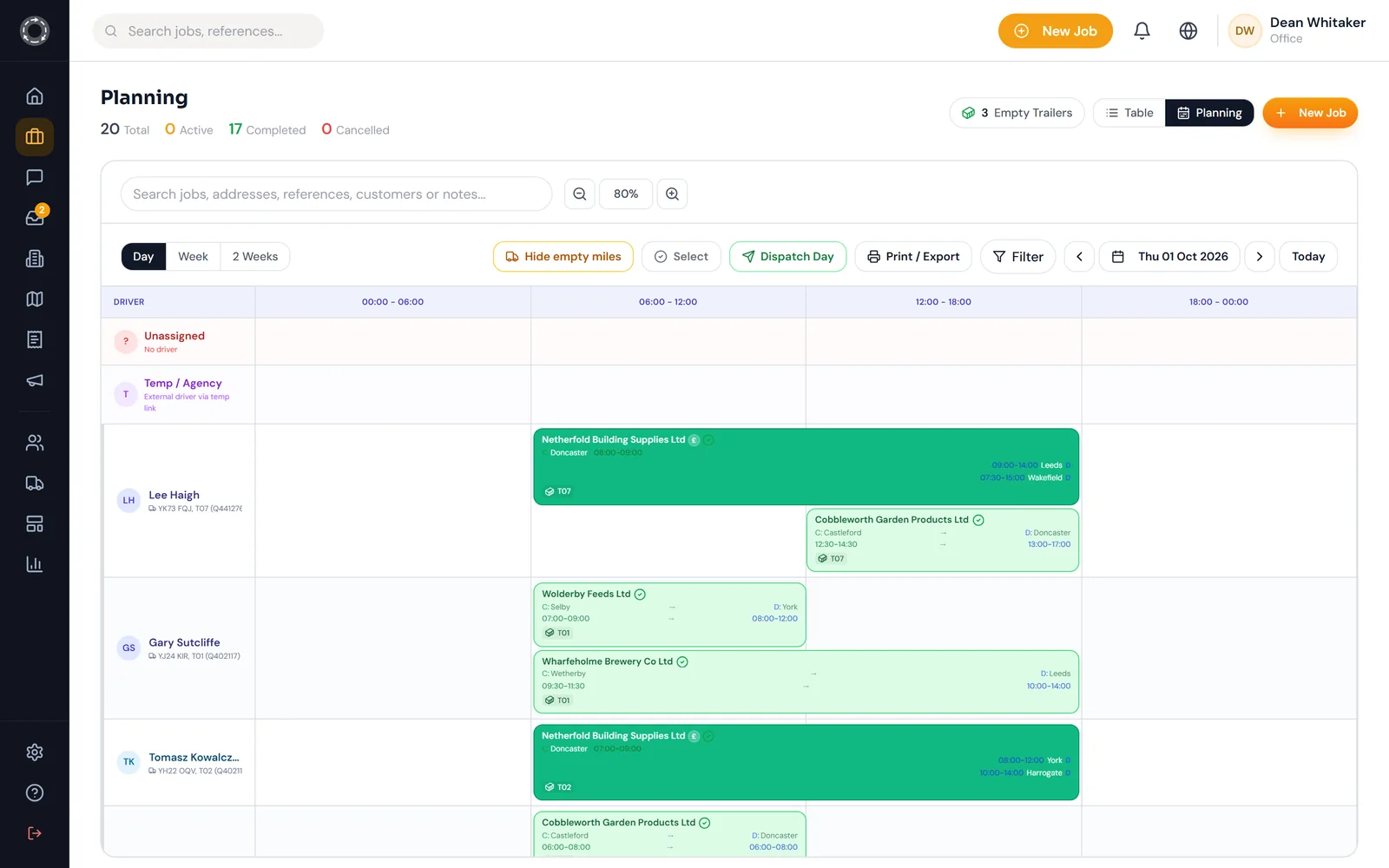
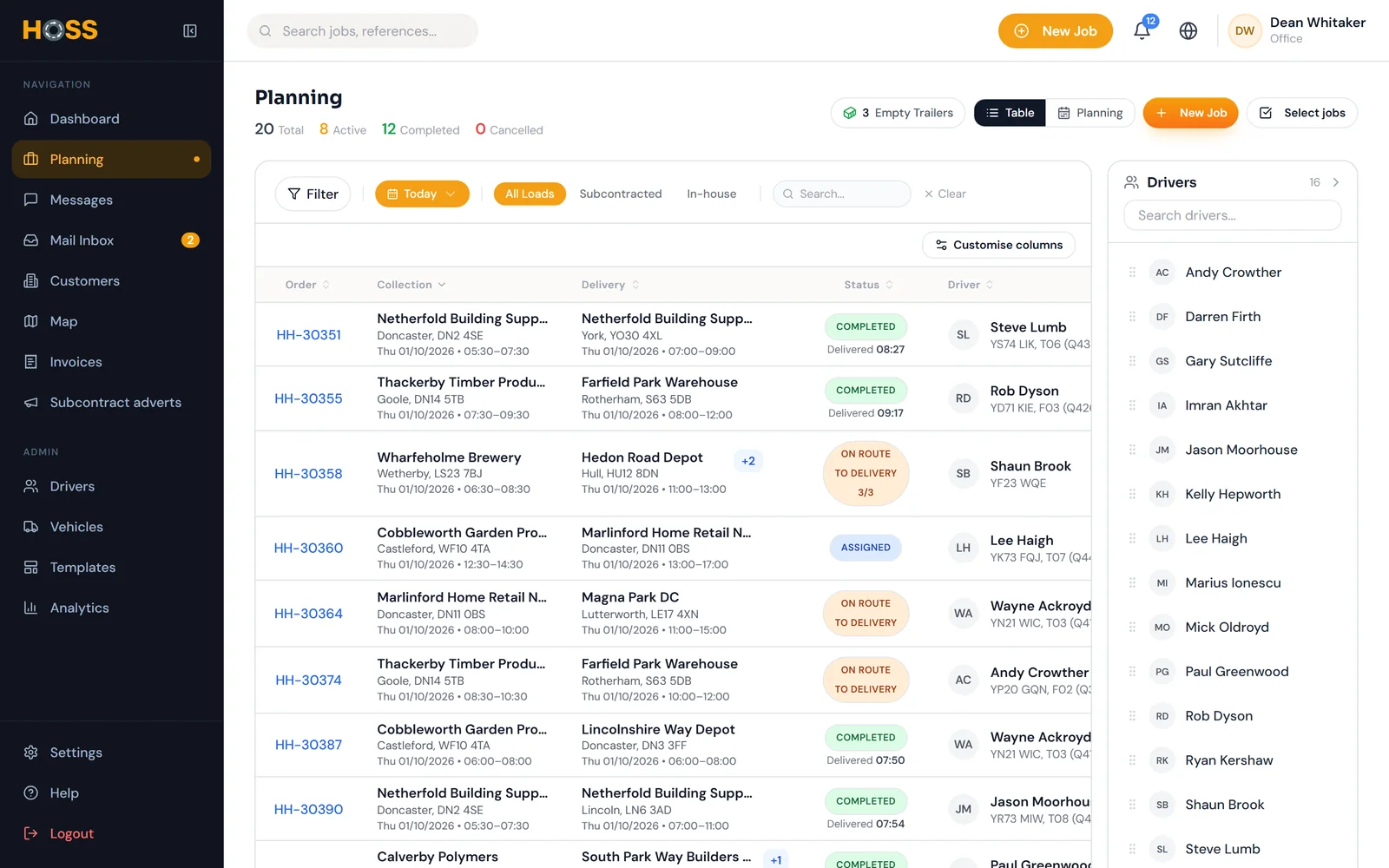
Real HOSS screens, shown with a fictional demo company.
Included as standard. No add-ons or tiers.
Every HOSS account includes the planning board, along with the rest of the platform, from £90 a month plus VAT.
Questions
Frequently asked questions
Not at present. Planners assign work on the board, with the empty miles between jobs shown to help them build efficient days.
Once it is sent to them, either individually or as a whole day. A job sent to a driver can be recalled if plans change.
Yes. Each stop can have its own driver, and handover points split a job between drivers at a yard or trailer exchange.
From Google distances between the last stop of one job and the first stop of the next, including across days.
Related
Explore more of HOSS
- Email to jobBooking emails, PDFs and spreadsheets read into draft jobs for your planners to check.Email to job in detail
- Driver appJobs in order, one action at a time, proof of delivery and offline working, in six languages.Driver app in detail
- SubcontractingSend work to other hauliers with a branded job sheet and a private link, and keep your customer.Subcontracting in detail
Take control of your haulage operation
See HOSS in your operation.
Request a demonstration or a callback. The demonstration is tailored to the way you work.
- 1HOSS responds within one working day to arrange a convenient time.
- 2The demonstration uses jobs that reflect your operation.
- 3If HOSS is right for your business, your account is created and you are supported through onboarding.
To speak to HOSS now, call 020 3151 2025, 8 am to 6 pm Monday to Friday, emergencies 24 hours a day.
Request a demo or callback